Microsoft Edge 禁止自动跳转 https
-
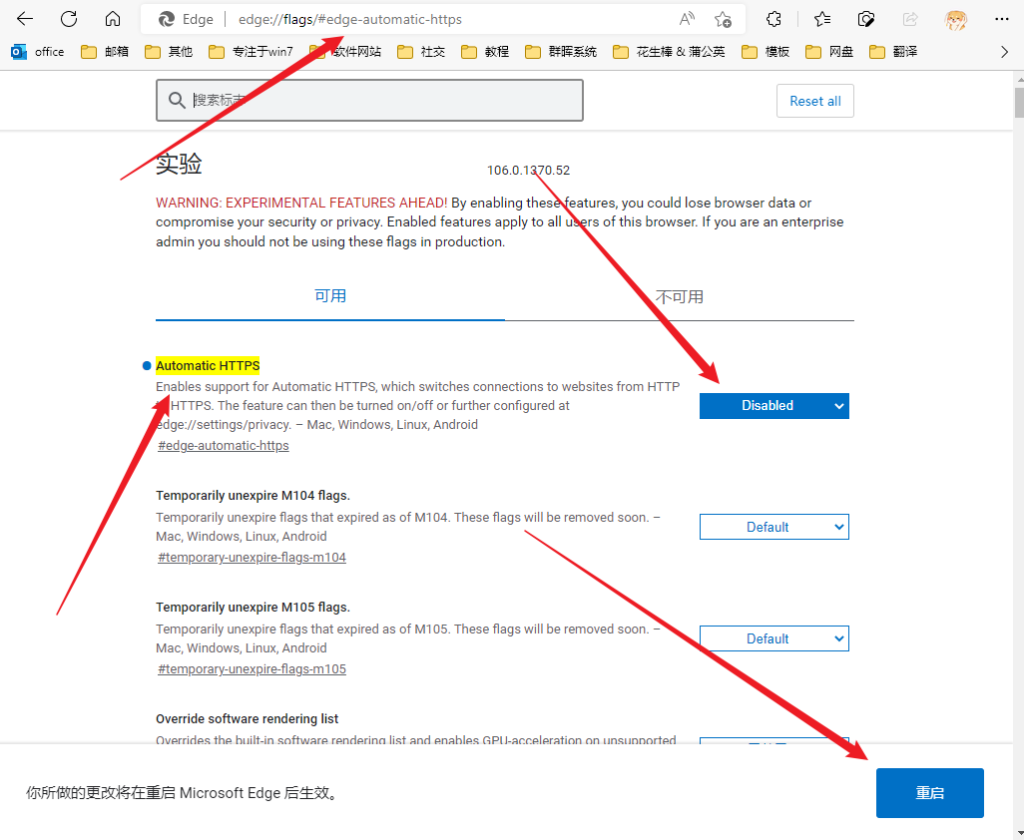
在 Microsoft Edge 地址栏输入
edge://flags/#edge-automatic-https -
找到
Automatic HTTPS,下拉选择disabled,并点击右下角重启
Google Chrome 禁止自动跳转 https
-
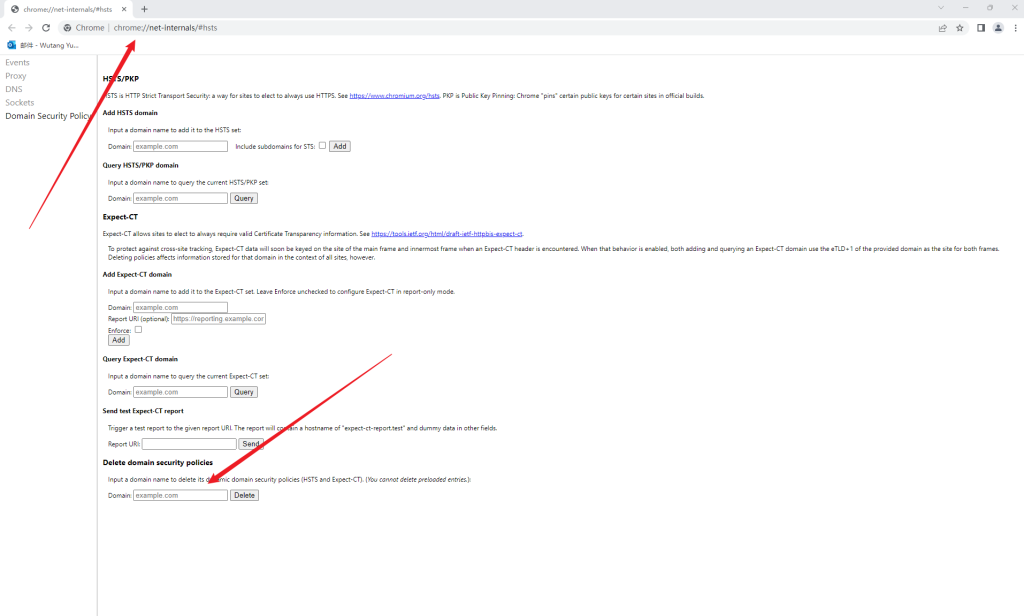
地址栏中输入
chrome://net-internals/#hsts -
在
Delete domain security policies中输入项目的域名,并 Delete 删除 -
可以在
Query domain测试是否删除成功